
Guided filtering
Contents
Guided filtering
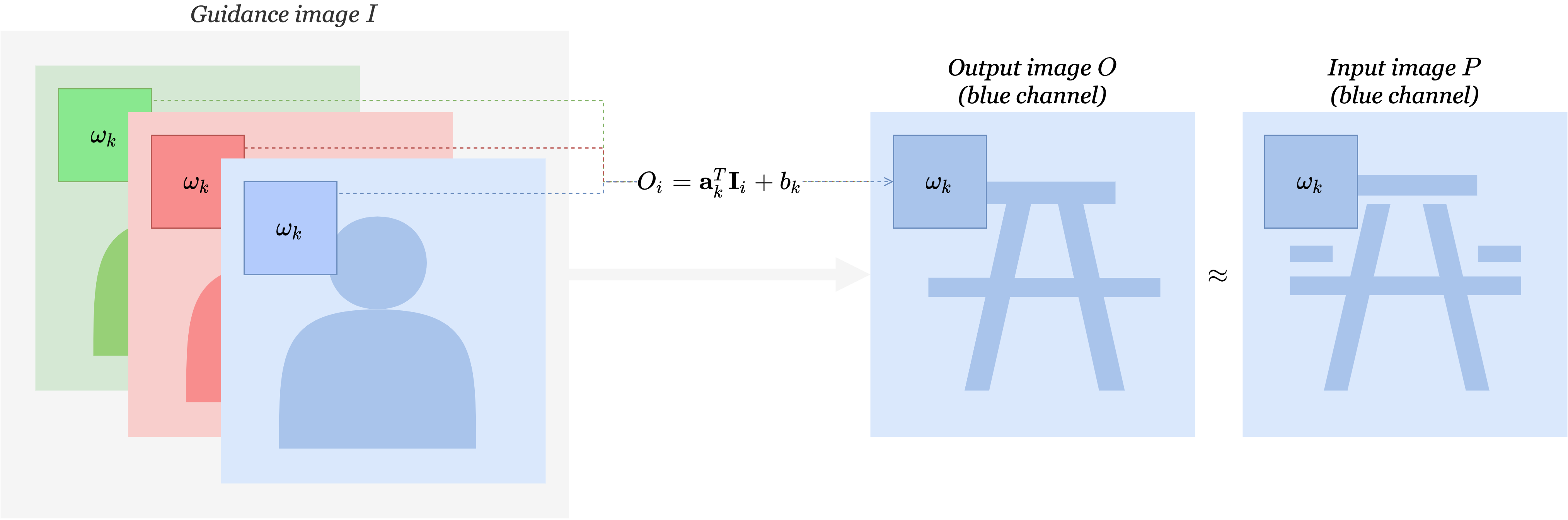
Guided filtering [HST10] is a smoothing method which tries to respect image structure (and most notably edges). In this regard, it resembles bilateral filtering. However, guided filtering is able to preserve edges of another image. Guided filtering takes two images, \(P\) and \(I\) as inputs and produces one image \(O\) as output.
\(P\) is called the input image. \(O\) is designed to look like \(P\).
\(I\) is called the guidance image. \(O\) is structured like \(I\) in that it should share the same edges.
Concretely speaking, to produce \(O_i\) the output at pixel \(i\), we look at \(w_i\) a window centered at \(i\). We try to construct an affine transformation of the corresponding window in \(I\), so that the window produces looks like the corresponding window in \(P\). This means that we minimize over \(a_i\) and \(b_i\) the energy \begin{equation*} E(a_i, b_i) = \sum_{k \in w_i} ( a_i I_k + b_i - P_k)^2 + \varepsilon a_i^2 \end{equation*} where we added a regularisation term \(\varepsilon a_i^2\).
There are some additional details :
if \(I\) is RGB, we look at \(\mathbf{a}_i^T \mathbf{I}_i\) instead
if \(P\) is RGB, we realize 3 filtering for the 3 \(P\) channels
In our case, \(I\) will be RGB and \(P\) gray.
Gray guide
input = multi_focus_sample[0].mean(axis=-1)
guide = multi_focus_sample[1].mean(axis=-1)
output = filters.guided_filter(input, guide, r=20, eps=5e-2)
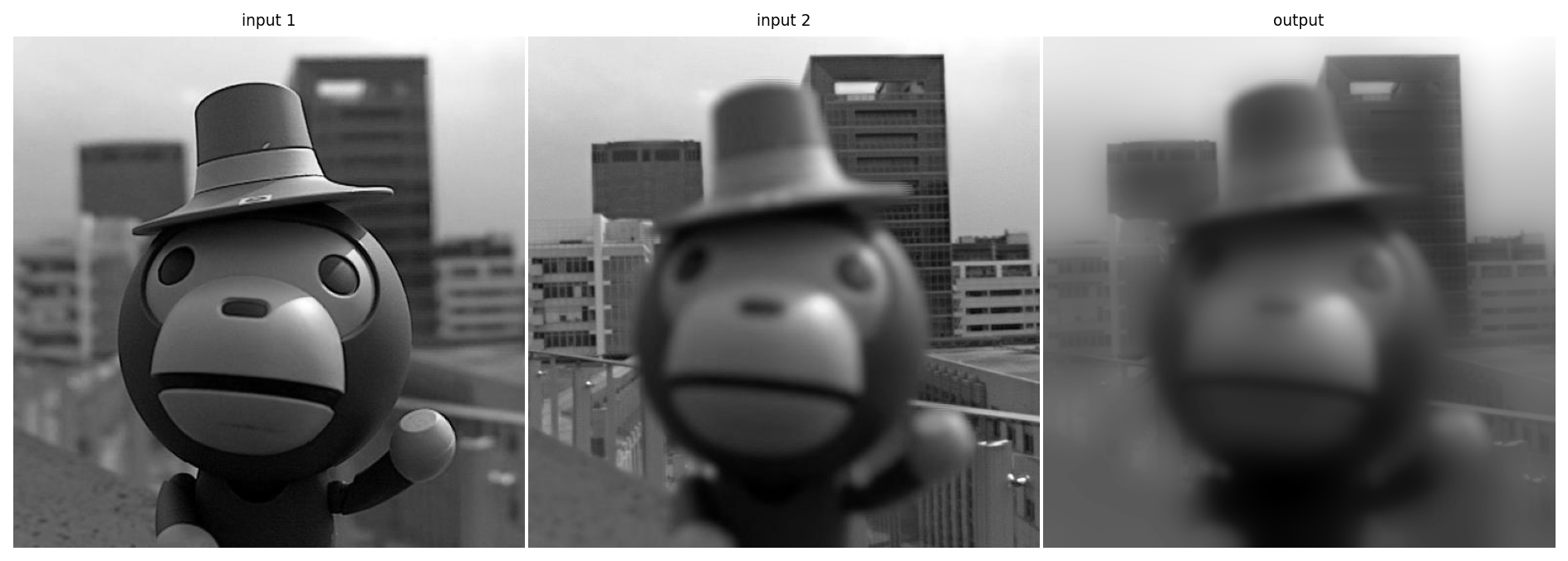
Notably, the edges of the buildings in the backgrounds remain sharp.
RGB guide
input = multi_focus_sample[0]
guide = multi_focus_sample[1]
output = filters.guided_filter(input, guide, r=20, eps=5e-2)
